Indie Dev Toolkit
A downloadable toolkit for Windows
Indie Dev Toolkit is an all-in-one desktop toolkit for indie developers, modders, and gamers who want to manage their games, saves, mods, assets, and system information from one place.
Instead of using dozens of separate utilities, Toolkit brings everything together in a single modern interface.
🎮 Game Tools
Save Manager
Back up, restore, organize, and manage your game saves. Keep multiple backup versions and create custom backup profiles.
Mod Manager
Manage installed modifications, enable or disable them, and create separate profiles for different setups such as Vanilla, Graphics, or Gameplay.
File Analyzer
Analyze game directories, inspect file types, find the largest files, view storage usage, detect potential duplicates, and explore directory structures.
🎨 Asset Tools
Asset Organizer
Organize and browse textures, models, audio, sprites, UI resources, and other game assets.
Texture Viewer
Quickly preview images and textures while viewing their resolution, format, and file size.
Sprite Editor
Work with sprite sheets, define grids, split sprites, and prepare assets for use in game engines.
Audio Player
Browse and preview game audio, SFX, music, and other sound resources.
JSON Editor
Edit game configuration files with formatting, syntax highlighting, search, and collapsible objects and arrays.
🖥️ PC Diagnostics
View detailed information about your system, including:
- CPU
- GPU
- RAM
- Storage
- CPU usage
- Memory usage
- GPU load
- Temperature
- Screen resolution
- Operating system
- System uptime
🧹 Duplicate Finder
Scan selected directories and find potential duplicate files. Review their locations and storage usage before deciding what to remove.
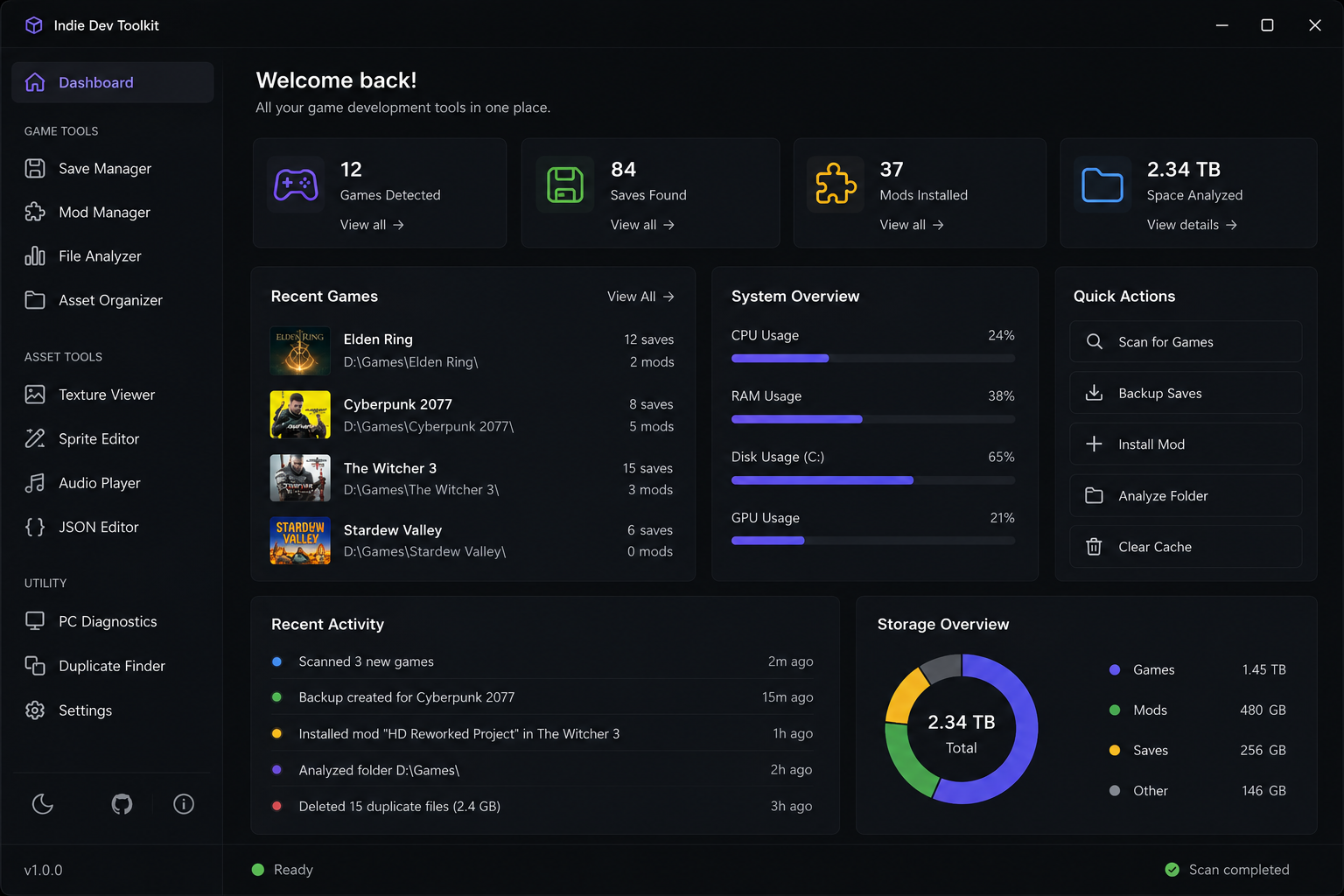
📊 Dashboard
Everything important at a glance:
- Detected games
- Saves
- Installed mods
- Storage statistics
- Recently used games
- System load
- Recent actions
- Quick actions
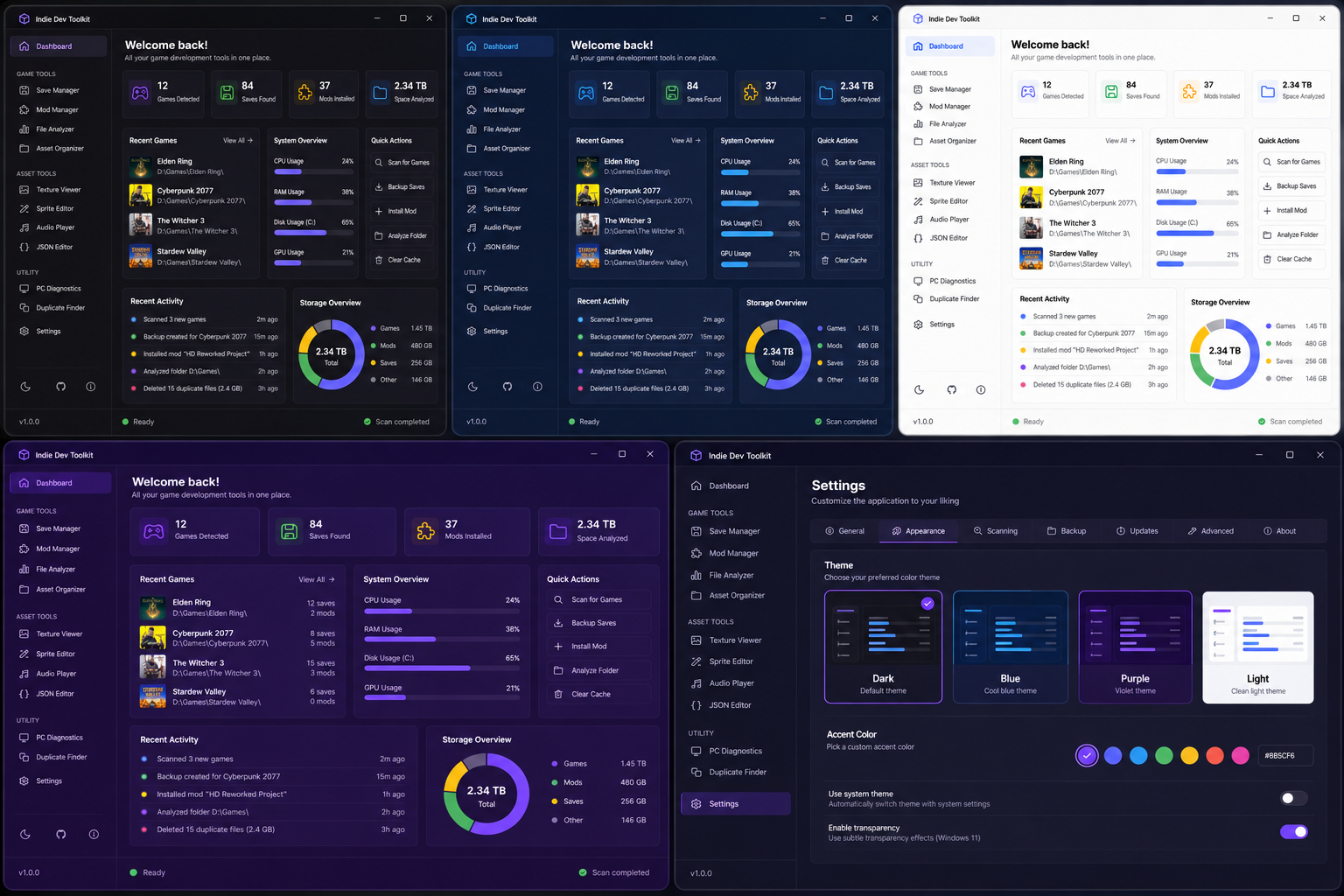
🎨 Multiple Themes
Choose the interface that fits your setup:
Dark — deep and minimal.
Blue — clean and technical.
Purple — modern gaming-style.
Light — bright and clean.
Custom accent colors are also supported.
⚡ Quick Actions
Scan for Games, Backup Saves, Install Mod, Analyze Folder, Clear Cache, and more — all accessible directly from the dashboard.
🔐 Local-First
Toolkit is designed as a local desktop application. Your game files, saves, assets, and other data stay on your computer while operations are performed directly on your device.
🚀 Built to Grow
The project is designed to be expandable, with future plans for additional game engine support, advanced profiles, automated backups, deeper asset analysis, plugins, custom themes, developer tools, and workflow automation.
One toolkit. Your games. Your files. Your workflow.
Download